WooCommerce does not have a speed problem. It has a freedom problem. Every plugin you were free to install is free to run on every page load, and the ones doing the most damage are almost never the ones you would have guessed.
What follows is the ordered list of causes that are specific to WooCommerce: the hosting and PHP underneath it, persistent object caching, plugin triage, cart fragments and database bloat. Shopify merchants have their own version of this problem, and it is a sibling rather than a substitute, because almost nothing transfers. Shopify decides your hosting, your database and your caching for you. WooCommerce hands all three to you, along with the bill for getting them wrong.
Measure the pages that take money
Most WooCommerce speed reports are run against the homepage, which is the least representative page on the store. The homepage caches cleanly. Product pages mostly do. Cart, checkout and account pages are excluded from page caching by design, because they render per-visitor state, so every one of those requests goes the whole way through PHP and the database with every active plugin loaded.
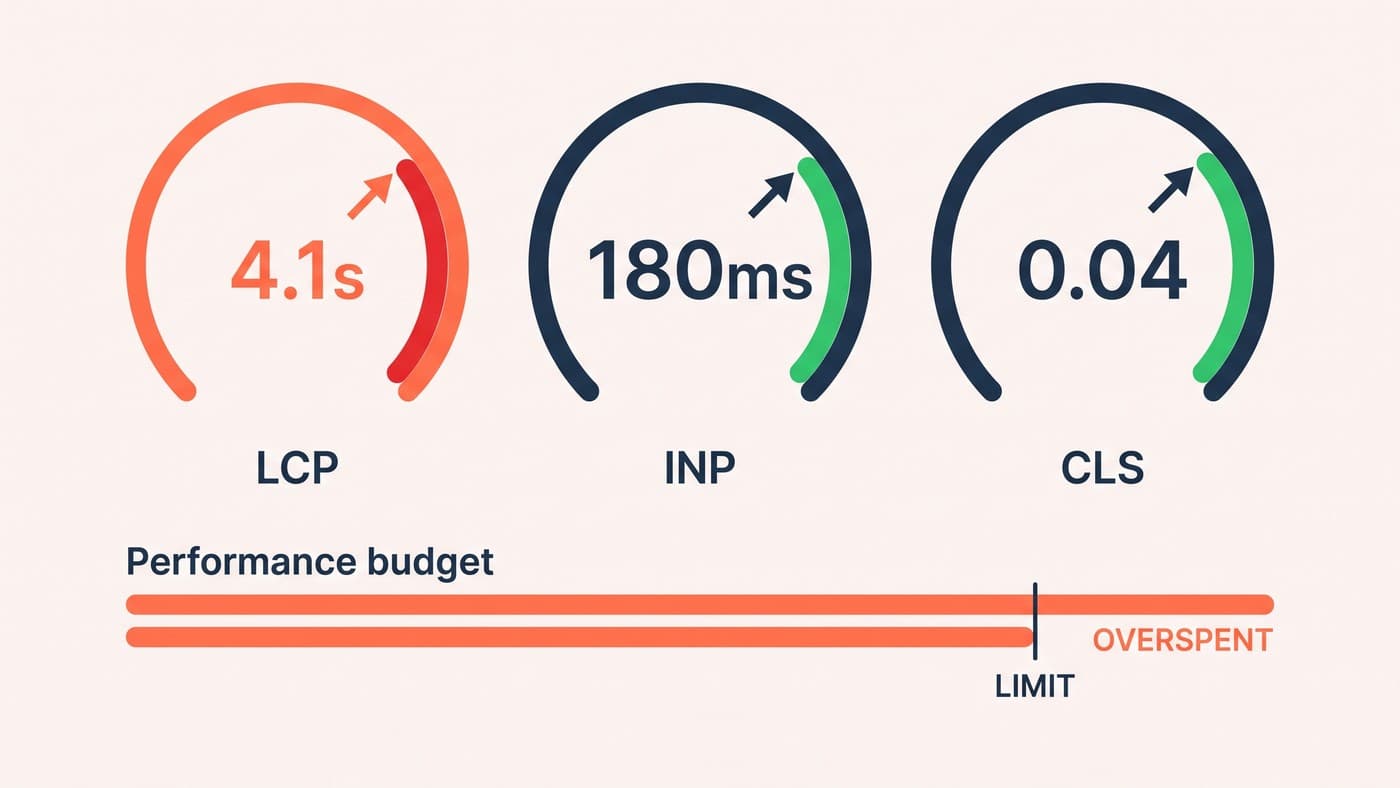
Run the test on a product page, then on the cart with an item in it, then on checkout, logged out and with a real session. The gap is usually embarrassing. A store whose homepage returns in well under a second routinely serves its cart page in three or four, and the cart page is the one standing between a visitor and an order.
Field data helps here more than lab scores. A synthetic run from a data centre tells you what the server did; a real-user measurement tells you what somebody on a mobile network actually waited for, and those two numbers diverge most on exactly the uncached pages you care about.
Hosting and PHP come first, and nothing else is close
Everything else on this list is an optimisation. Hosting is a floor. Uncacheable commerce requests hit PHP every single time, so the number of PHP workers your plan allows is effectively the number of shoppers who can be in a cart at once before the rest start queueing. On cheap shared hosting that number is small, and the failure mode is not a slow site. It is a site that is fine all month and falls over on the one day traffic arrives.
Run a current PHP 8 release. The difference between PHP 7 and PHP 8 on a WooCommerce install is not marginal, and staying behind also means running a version that has stopped receiving security fixes, which is a separate and worse problem on a site that handles payments.
Ask a prospective host two questions that get past the marketing copy: how many PHP workers does this plan give me, and is persistent object caching available on it. A host that cannot answer either is selling brochure hosting to a shop.
Persistent object caching is the biggest configuration win
WordPress caches options, transients and query results in memory for the duration of a single request and then throws all of it away. Persistent object caching, usually Redis or Memcached, keeps that cache between requests. On a store this matters disproportionately, because WooCommerce leans on transients and sessions constantly and a large catalogue turns every uncached page into a pile of repeated lookups.
Hosts and performance practitioners commonly report time-to-first-byte improvements somewhere in the region of thirty to fifty per cent after switching persistent object caching on for a catalogue of any size. That is a bigger single move than most plugin work will ever buy you, and it is a configuration change rather than a rebuild.
Two warnings. Object caching is not page caching and does not replace it. And a Redis instance configured with no memory ceiling and no eviction policy is an outage waiting for a busy afternoon, so ask whoever sets it up what happens when the cache fills.
Plugin triage is a protocol, not a purge
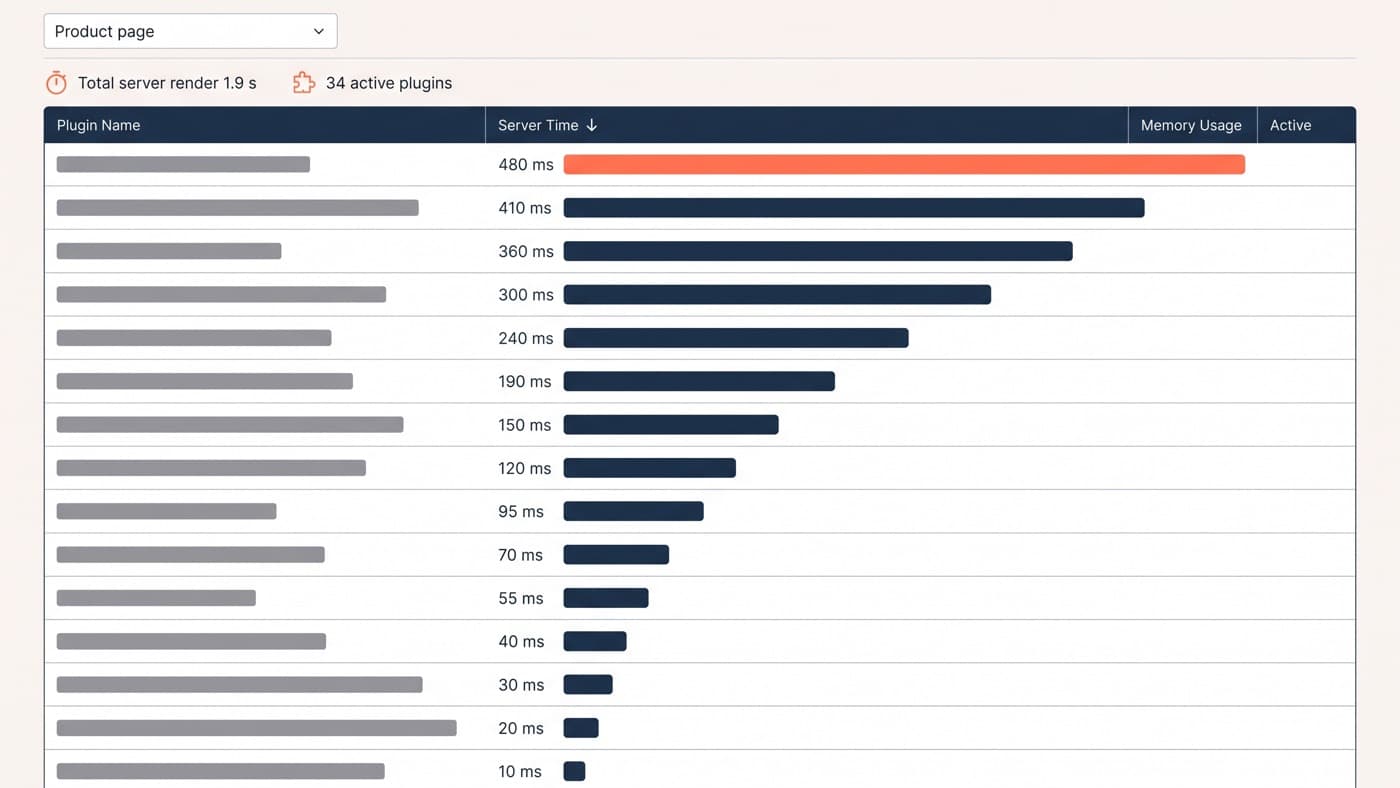
Plugin count is a bad metric, and deactivating everything then turning it back on one at a time is not a protocol you can run on a live store. Profile instead, with a query monitor or a server-side profiler, on a product page and on the cart, and rank by measured server time. A typical first profile on a store nobody has audited shows 34 active plugins with one of them accounting for 480 milliseconds of a 1.9 second server render, which is a quarter of the page spent on a single feature the business could live without.
Then work the ranked list against these questions:
- Does it load its assets on every page in order to serve one page? A review widget, a quiz, a popup library: enqueue where it is used and nowhere else.
- Does it query on every page load rather than caching its answer? Currency switchers and live stock displays are the repeat offenders.
- Does it do real work on init or wp_loaded? That runs even on requests that render nothing, including the fragments request below.
- Does it write to the database on the front end? Visit counters and session loggers turn a cheap read into an uncached write.
- Is something else already doing this job? Two SEO plugins, two caching layers or two image optimisers fighting each other is more common than anyone admits.
- Is it still used at all? Deactivated is not deleted, and a deactivated plugin still gets update-checked and still sits in the filesystem waiting to be exploited.
Cart fragments, the request nobody remembers adding
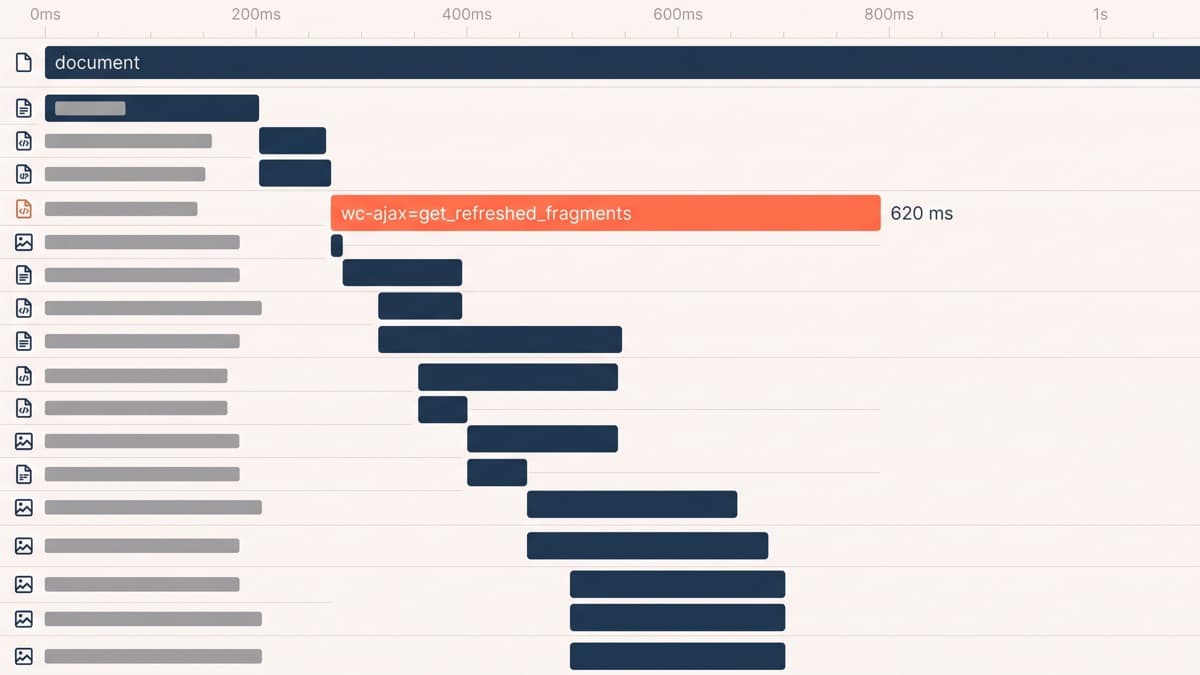
WooCommerce keeps the mini-cart accurate with an AJAX call to wc-ajax=get_refreshed_fragments, so the count in the header updates without a page reload. It fires across the site, and to answer it the server boots the whole of WordPress, loads every active plugin and initialises the cart. By definition it is one of the few requests on the store that cannot be page-cached, and on an unoptimised install it commonly costs around 620 milliseconds, on every page, to keep one number correct.
The usual advice is to disable it, and the usual advice is half right. Turning it off globally does remove the request and also stops the header count updating after an AJAX add-to-cart, which some themes depend on and some customers notice. The better fix is narrower: load fragments only on templates where cart contents can change, and if the header count is the only thing at stake, hold it client side and update it locally rather than asking the server to rebuild the world.
Database bloat, and where the orders live
A WooCommerce database that has been running for three years is carrying weight nobody chose. Post revisions from every product edit. Expired transients that were never collected. Orphaned meta from plugins removed years ago. Expired sessions. A completed scheduled-action log with hundreds of thousands of rows in it, which is the one that surprises people, because it grows fastest on the stores doing the most business.
The structural version of the same issue is order storage. WooCommerce’s High-Performance Order Storage moves orders out of the WordPress posts and postmeta tables into dedicated tables built for transactional data, and it has been the default for new installations since WooCommerce 8.2 in October 2023. Legacy storage still works and is still supported, but it is not where new development is going, so an older store still sitting on it should be planning the migration rather than deferring it indefinitely.
When it really is the theme
Sometimes it is. A theme that registers a forty-block library to provide one accordion makes every visitor download styling for thirty-nine blocks they will never see, and a product template rendering eight related products with full galleries is doing eight times the query work it needs to. The same restraint that makes a block build usable by a marketing team also makes it fast, which is not a coincidence.
But reach for the theme last. Replacing it is the most expensive move available and it resets every customisation the store has accumulated, so it should follow a profile that names the theme as the cost, never a hunch. Getting that order right is most of what separates competent WordPress development from a month of guessing, and if your store is slow on the pages that take money and nobody has profiled it yet, start there.