WordPress does not break on update day. It breaks three weeks later, when a customer cannot pay and nobody remembers what changed. Maintenance is boring on purpose, so that revenue can be boring too.
Every generic maintenance checklist says update plugins, run backups, check for broken links. A store needs all of that and then a second list a brochure site never does, because a store has a payment gateway, a tax table, live customer sessions, an order pipeline and a queue of scheduled jobs, and every one of those can fail in silence while the site looks perfectly healthy. This is that second list.
Staging stops being optional once money moves through the site
The single change that removes most maintenance risk is refusing to update anything on production. A staging copy that matches production in PHP version, plugin set and a recent database is where updates get applied and then walked through by hand: add to cart, apply a coupon, check out against the gateway in test mode, receive the order email.
Order matters. WordPress core, then WooCommerce, then WooCommerce extensions, then everything else, then the theme. Updating an extension ahead of the plugin it extends is how you get a white screen from a function that does not exist yet, on the one afternoon nobody senior is available.
Keep a written record of what was updated and when. Not because anybody enjoys it, but because the useful question three weeks later is always what changed on the twelfth, and a dated list with version numbers answers it in a minute instead of an afternoon.
The monthly pass
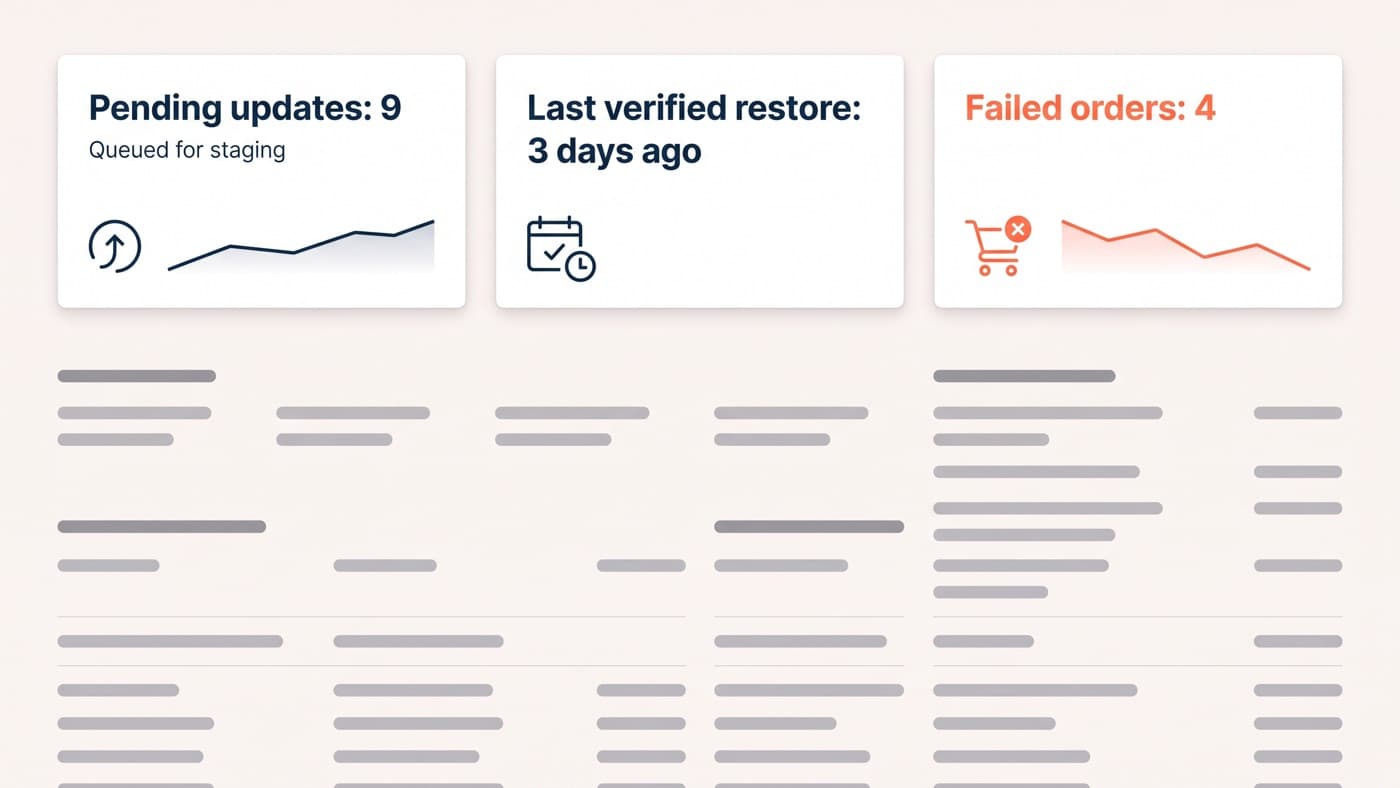
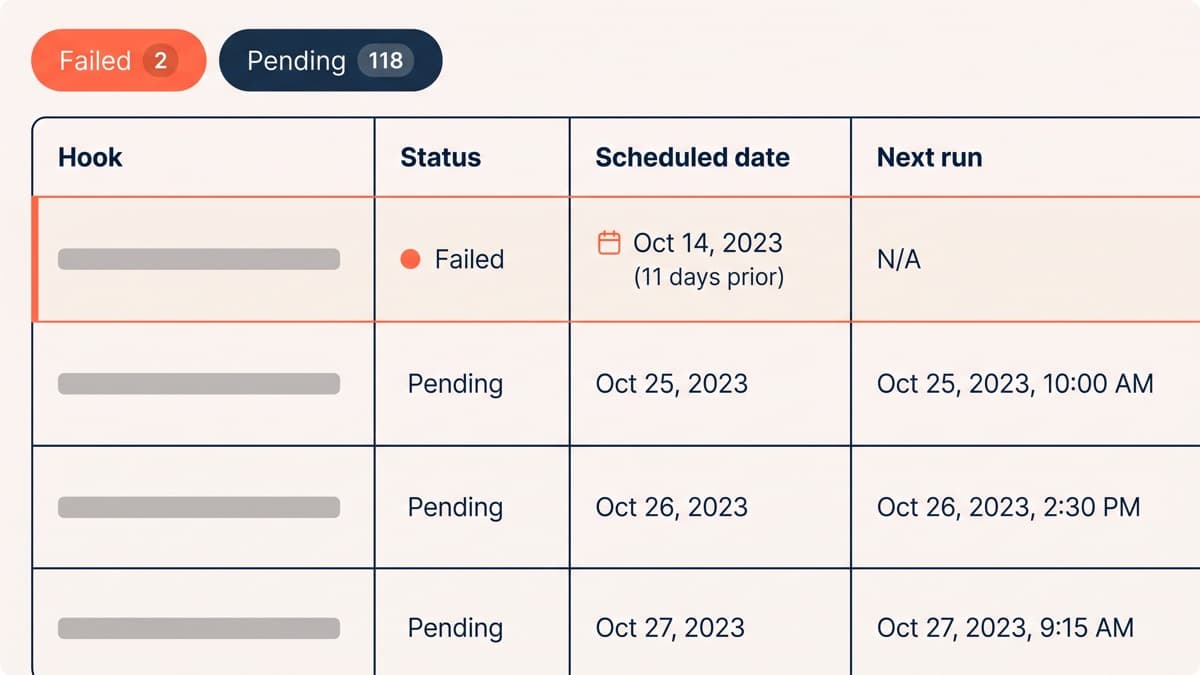
A store’s maintenance dashboard on a good month is dull: nine pending updates waiting for the staging pass, a last verified restore three days old, and four failed orders that all turn out to be the same expired card. Dull is the target. The list that produces it:
- Apply updates on staging in order, then run a full test purchase before promoting anything to production.
- Place a real order on production after every deployment, refund it, and confirm that both the order email and the refund email arrived.
- Compare failed-order and pending-payment counts against last month. A gateway that has quietly started declining a card type shows up here before it shows up anywhere else.
- Read the scheduled-action queue. A backlog means stock syncs, subscription renewals or emails are not running, and the storefront will look fine throughout.
- Confirm tax rates and shipping zones still match what the business actually charges, particularly after any rate change or new market.
- Review the last month of 404s from the search console and the server log, because a broken product URL is a broken landing page for whatever is still linking to it.
- Check disk usage and database size, and clear the expired transients, old revisions and completed action logs that accumulated since last month.
- Review users and roles. Remove the agency account that finished six months ago and demote anything sitting on administrator without needing to.
- Restore one backup into a throwaway environment and load the store. Once a month, without exception.
A backup you have never restored is a hope
Backup software reports on the job it ran, not on the file it produced. A backup that quietly excluded the uploads directory, or captured the database mid-write, or has been failing since a storage credential expired, will report green the entire way and be worthless on the one day it matters.
So restore one. Monthly, into a disposable environment, then load a product page and an order. It takes twenty minutes and it converts a policy into a fact. While you are there, check the two things people habitually get wrong: where the backups live, which should not be the same server as the site, and how far back they go, which needs to exceed the time it takes anyone to notice a problem.
A store has one extra consideration. If backups run nightly and the site fails at six in the evening, you have lost a day of orders as records even though the payments themselves still happened at the gateway. That is survivable if you knew it in advance and can reconcile from the gateway, and it is a catastrophe if you discover it during the incident.
The checks only a store needs
A scheduled-action queue with 2 failed actions and 118 pending, the oldest 11 days old, is not a curiosity. It is stock syncs, renewal emails and integration callbacks that have not run, and none of it is visible from the storefront. Reading that queue monthly catches more real problems than any uptime monitor will.
Transactional email deserves its own paragraph, because it is the most common silent failure on a WooCommerce store. Order confirmations sent through PHP mail land in spam or vanish entirely, and nothing in the admin tells you, because WordPress considers a message sent the moment it hands it off. Send through an authenticated service, log what goes out, and read the log rather than trusting it.
Security that fits a store, not a fortress
The security programme for most stores is the maintenance programme. Keeping core, WooCommerce and extensions current closes the overwhelming majority of the realistic attack surface, because the exploits that actually get used are against known vulnerabilities in software people did not update. Add two-factor authentication on every administrator, remove plugins the store no longer uses rather than deactivating them, rate-limit the login endpoint, and keep card data off your server entirely by letting the gateway handle it.
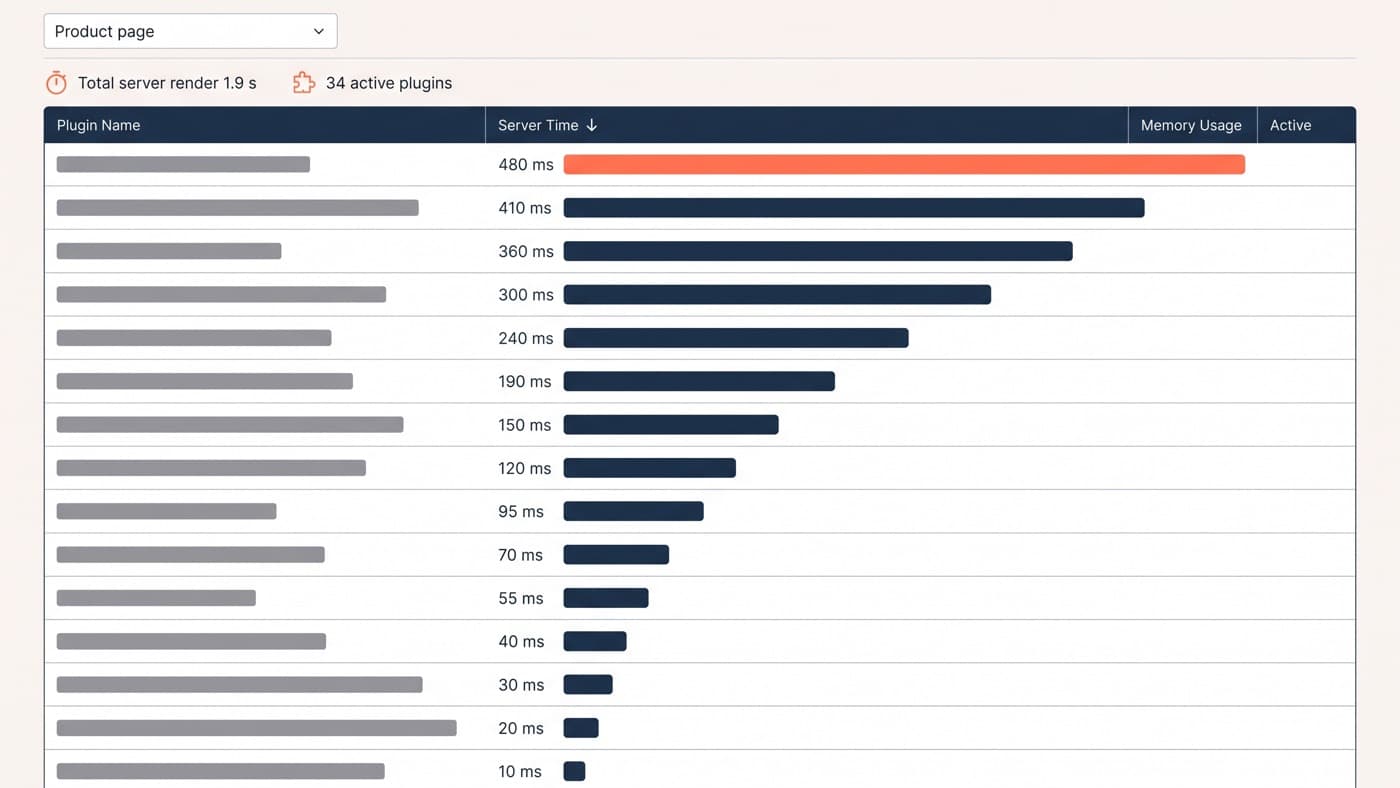
Note what is not on that list: a security plugin configured to scan hourly on shared hosting, which is a performance problem wearing a safety costume. If it is competing for the PHP workers your checkout needs, that is a speed decision dressed up as a security one.
The pre-peak pass
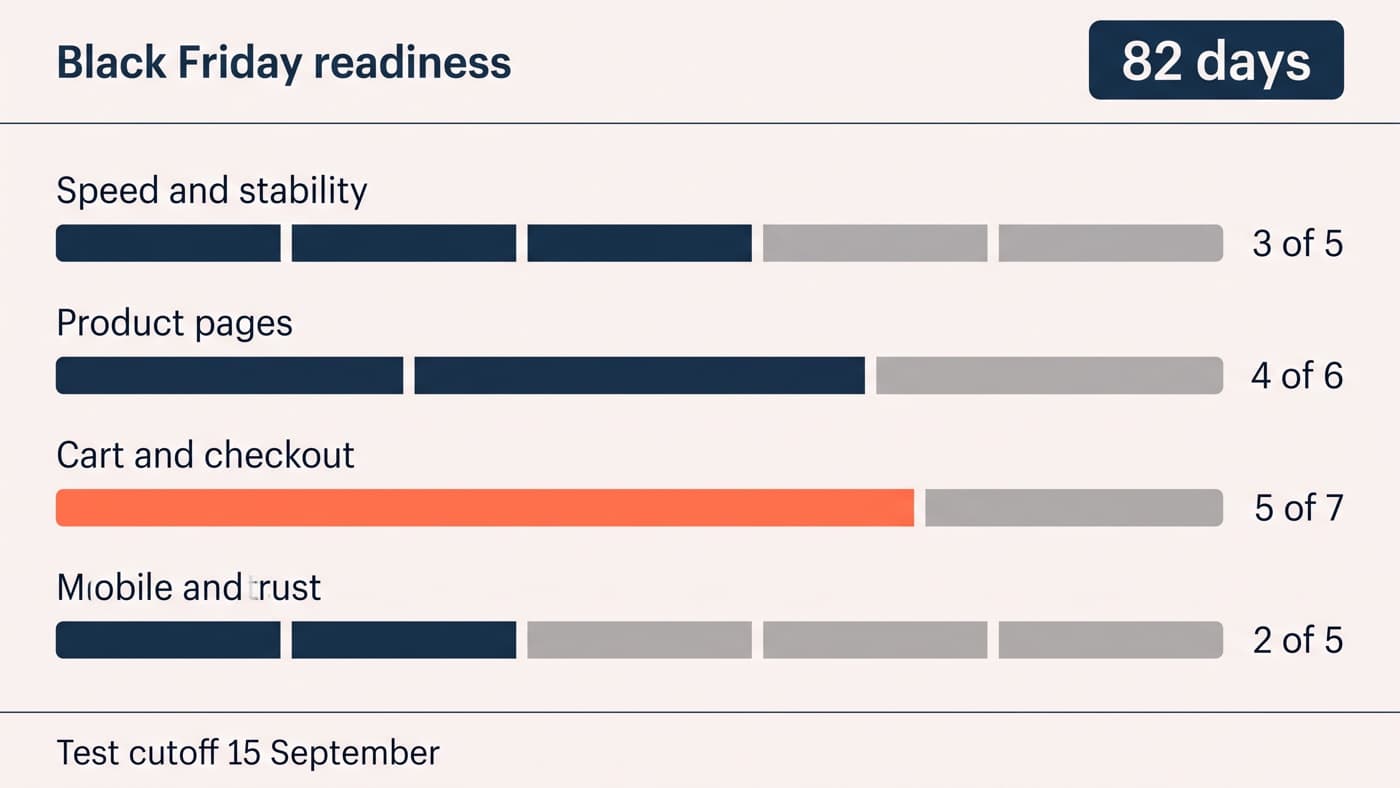
Before your busiest quarter, run a heavier version of the same list, early enough that fixing something is still an option. Freeze non-essential changes several weeks out. Load-test the checkout rather than the homepage, because the homepage is the page that caches. Confirm what your host does at the traffic level you are forecasting and what happens when you exceed it. Re-check every third-party integration that touches an order, then leave the site alone.
The commercial half of that preparation, the offers and the landing pages, has its own checklist, and the two are best run by different people in the same week rather than by one person in a hurry.
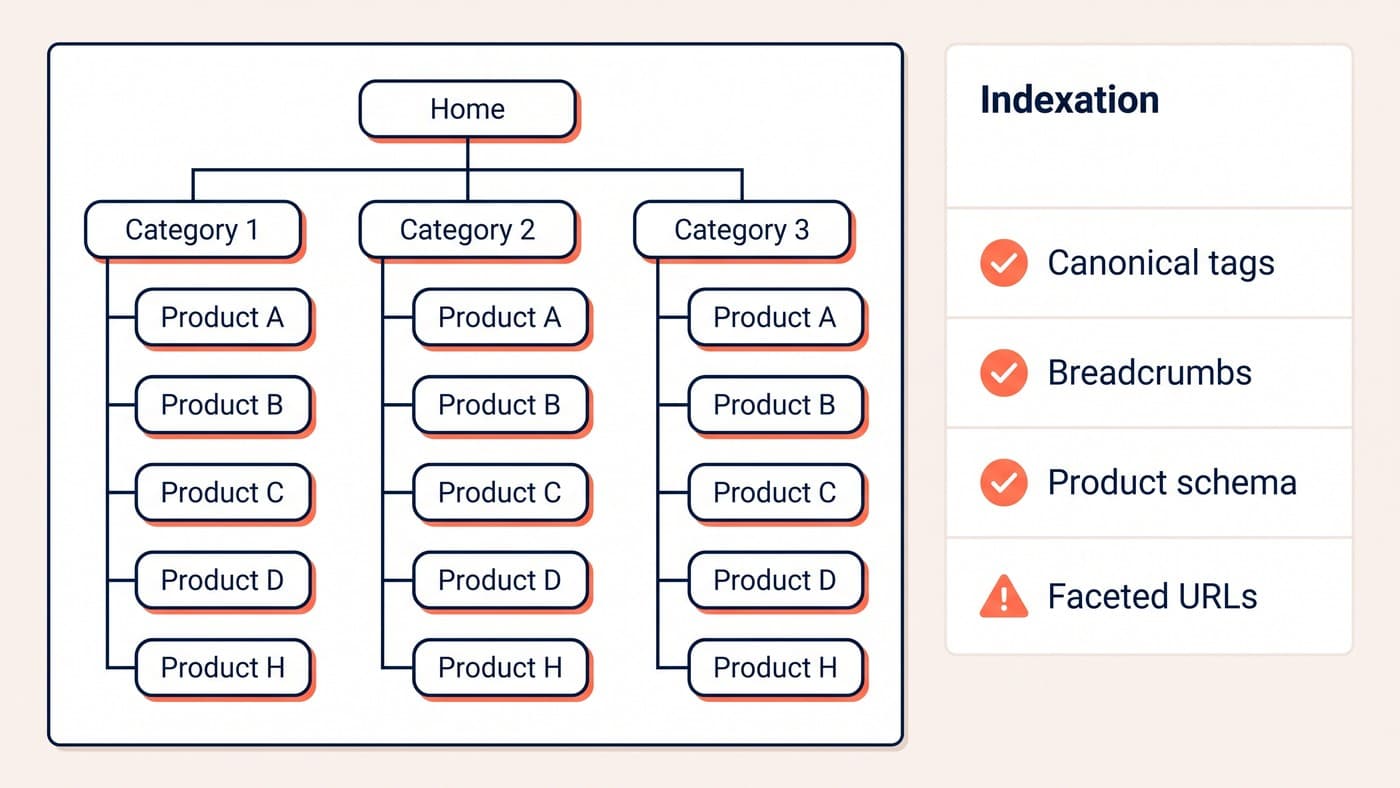
Maintenance is also where slow-burning search damage gets caught, because a redirect that broke during an update takes months to appear in traffic and minutes to find in a log. The same goes for structured data and URL structure, which drift whenever a plugin changes how it outputs them. Ongoing WordPress development on a store is mostly this: unglamorous checks that make the interesting work safe. If nobody currently owns the monthly pass on your store, that is the gap to close.