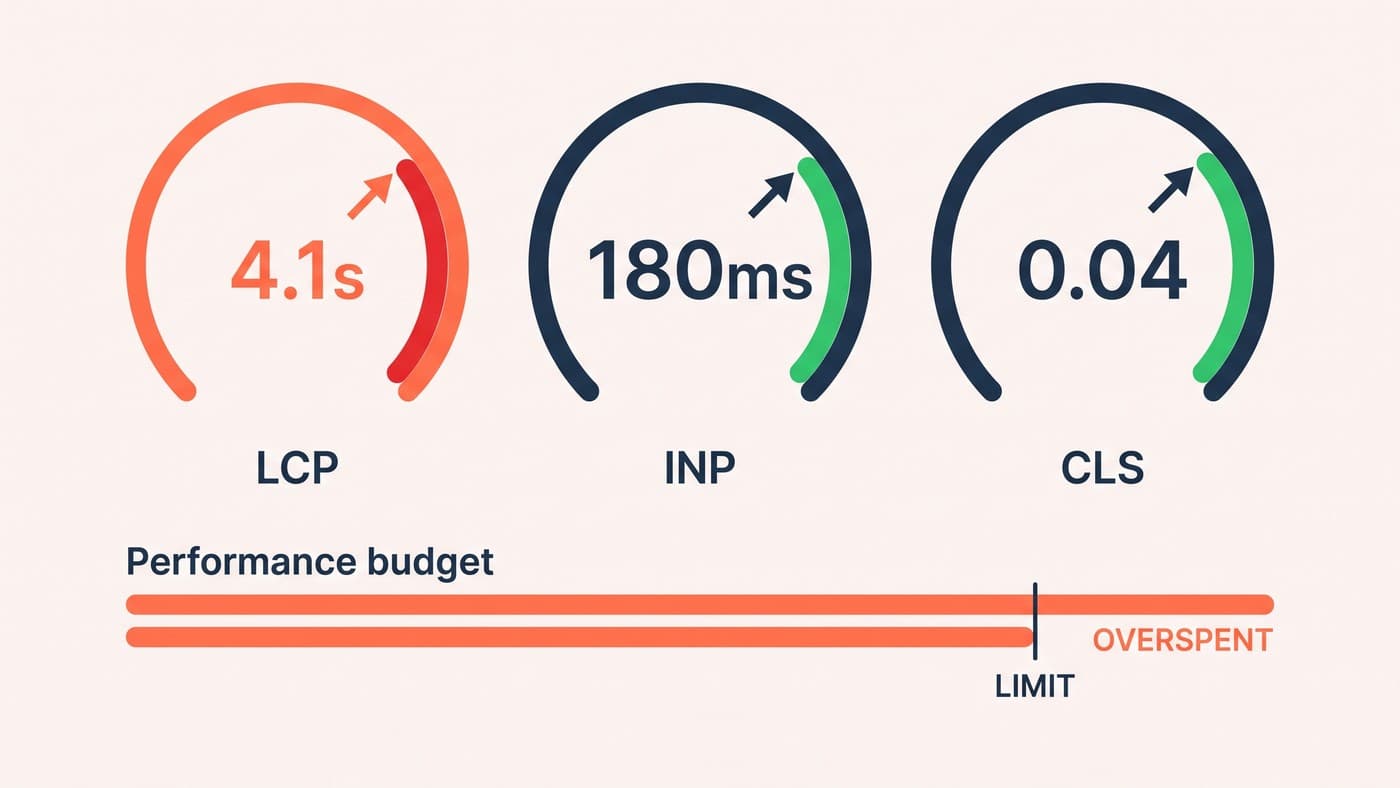
The average Shopify store we audit runs between eighteen and thirty apps. Every one was installed for a defensible reason, by somebody solving a real problem, usually on a Friday. Collectively they are the single biggest drag on the store's conversion rate, and nobody owns the total.
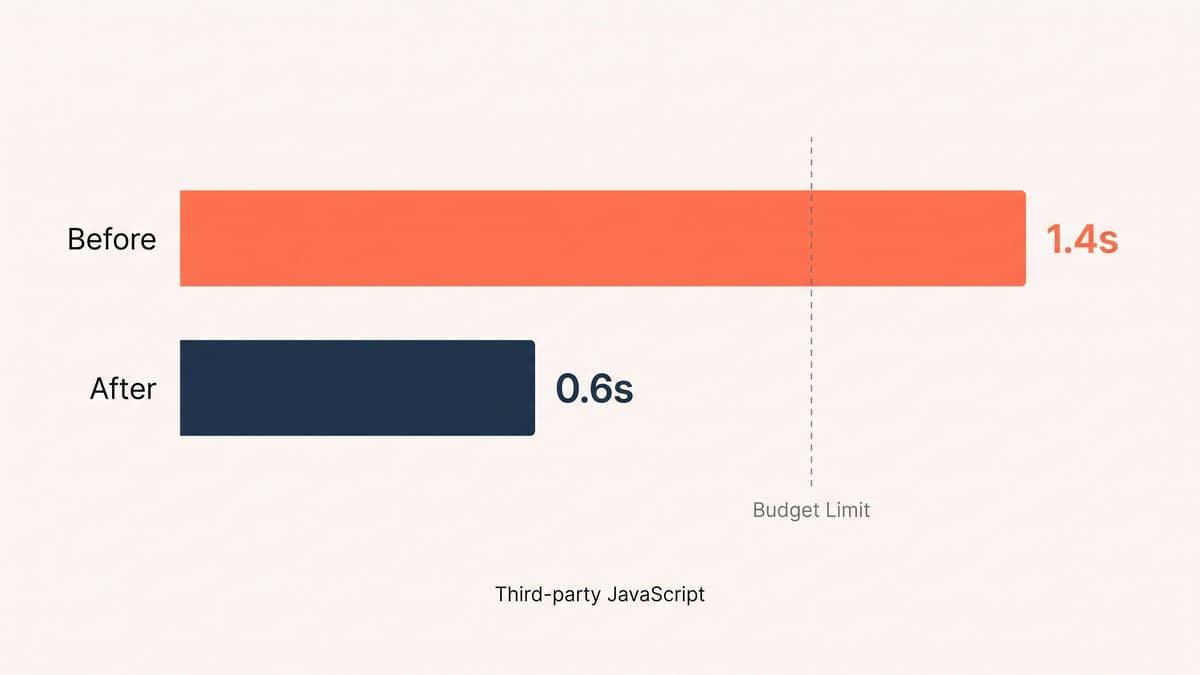
We have cut roughly 40% of a client's app stack and watched conversion rise. Not because the apps did nothing — because what they cost in load time exceeded what they returned in features.
Why app stacks grow and never shrink
Installing is a decision with an owner and a champion. Removing is a decision with neither. Somebody asked for reviews, somebody else wanted a loyalty widget, and the person who requested each one has usually moved on by the time anyone questions it.
Worse, uninstalling an app frequently leaves its code behind. Theme snippets, script tags and leftover Liquid stay in place long after the subscription ends, which means the store is often paying the performance cost of apps it is no longer paying for.
The audit, step by step
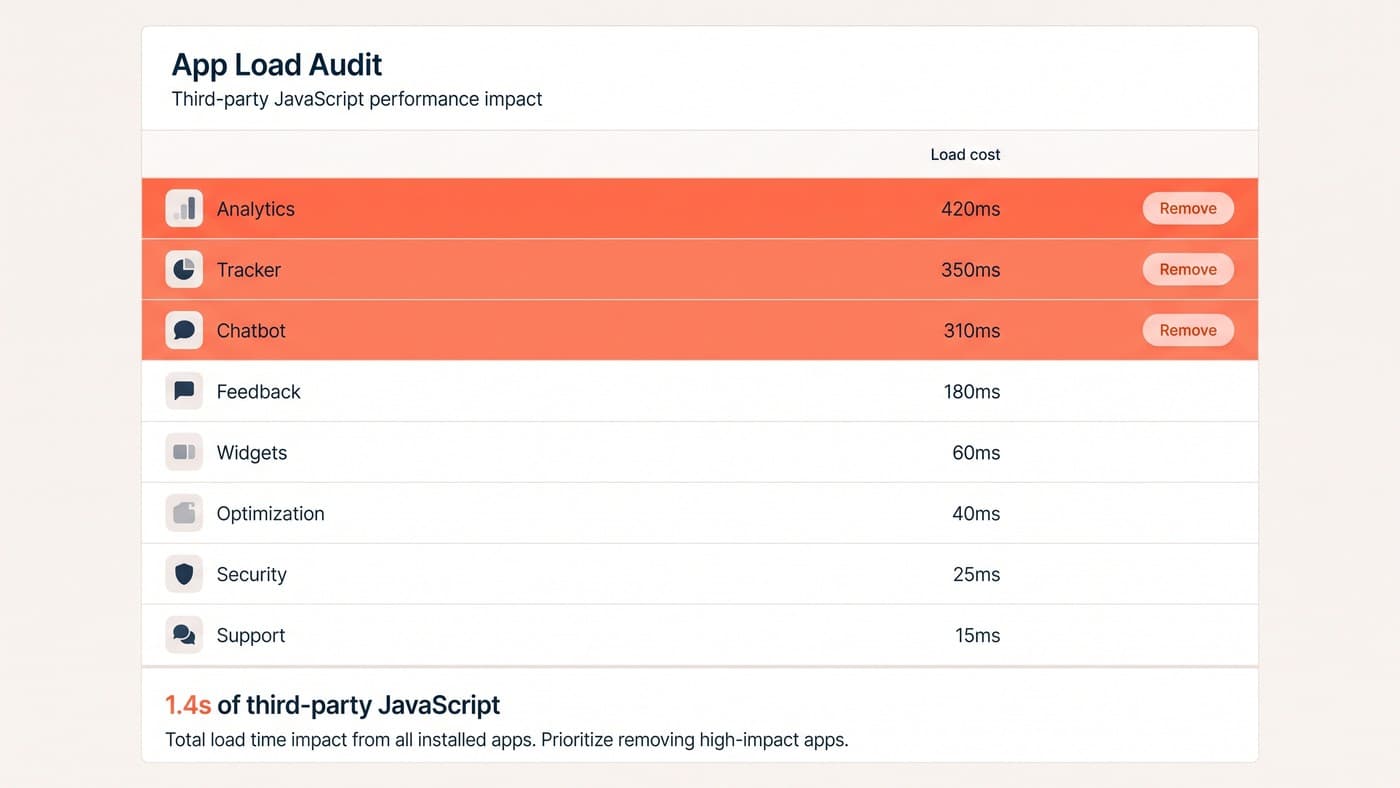
List every installed app with three columns: what it does, who asked for it, and what it costs in monthly fees. Then add the column nobody has: what it costs in milliseconds on the product page.
That fourth column changes the conversation permanently. An app costing £29 a month and 400ms on every product view is not a £29 decision. Once the numbers sit side by side, most of the argument resolves itself without anyone needing to win it.
What usually goes
Patterns repeat across almost every audit we run:
- Two apps doing overlapping jobs, installed eighteen months apart by different people.
- A pop-up tool firing on every page to capture emails that a single well-placed form would collect anyway.
- A review widget loading a heavy bundle to render six reviews that could be rendered as plain markup.
- An abandoned-cart tool duplicating something the email platform already does.
- Analytics installed three times over — through the theme, a tag manager and an app.
What we keep, even when it is slow
This is not an argument for a bare store. Some apps earn their milliseconds comfortably: a subscription engine on a subscription business, a properly-integrated review platform where reviews demonstrably carry the category, a search tool on a catalogue too large to browse.
The test is not "is this app fast", it is "does this app pay for its weight". Answering that needs the performance budget described in our piece on Shopify page speed, otherwise you are trading one opinion for another.
Uninstalling is not removing
This is the step almost everyone skips, and it is why stores that have "cleaned up their apps" are frequently no faster afterwards. Removing an app from the admin stops the billing. It does not reliably remove the code it added to your theme.
Apps install themselves by writing snippets into theme files, adding script tags, and occasionally editing layout templates directly. Uninstalling asks the app to tidy up after itself, and many simply do not — particularly if the theme has been duplicated or edited since installation.
After every removal, search the theme for the app's name, its asset filenames and any leftover snippet includes. We regularly find code from apps uninstalled two years earlier, still loading, still costing milliseconds, still owned by nobody. Keep a note of what you removed and when, because the next person to open the theme will not know what those orphaned files were for.
Audit the subscriptions while you are there
The performance case is the important one, but the finance case usually pays for the exercise on its own. Thirty apps at an average of £25 a month is £9,000 a year, and a meaningful share of that is typically going to tools nobody has opened in a year.
Check the last-used date where the app exposes one, and ask the person who requested it whether they still rely on it. The answer is often no, and the conversation is far easier when it starts with a bill rather than a load time.
Prove it rather than assert it
Where traffic allows, removing a significant app is worth testing rather than announcing. It is a genuine change to the customer experience, and occasionally the widget everybody wanted to kill turns out to be doing real work.
Expect some resistance, and expect it to be about ownership rather than performance. The person who asked for a tool tends to hear its removal as a judgement on their request. Framing the conversation around the millisecond cost rather than the feature usually defuses that, because it moves the discussion from whether the idea was good to whether the trade is still worth making today.
Do the whole exercise once a year regardless of whether anything feels slow. Drift is gradual, and the point at which somebody notices is usually the point at which several quarters of small regressions have already compounded into a number worth arguing about.
Keep a short written record of the stack as it stands: what each app does, who owns it, what it costs monthly, and what it costs in milliseconds. It takes an afternoon to produce and turns every future request into a five-minute decision instead of a debate, because the trade-off is already on the page rather than in somebody's head.
The habit to build is a rule for installation rather than a periodic cleanup. Before any new app goes on, agree what it must achieve, how long it has to prove it, and who reviews it at that point. Most stores have never had that conversation, which is precisely why they end up with thirty apps and no owner.
Set a calendar reminder for six months out, too. An app installed for a Christmas campaign and still running the following summer is a cost nobody has consciously chosen to keep paying.
Where traffic does not allow a clean test, remove it and watch the funnel for a fortnight against the previous four weeks. Not perfect, but far better than leaving it in place because nobody wants to be blamed. This is ordinary Shopify development hygiene, and it pairs with the wider conversion work on Shopify. If your admin has more apps than anyone can justify, get in touch.