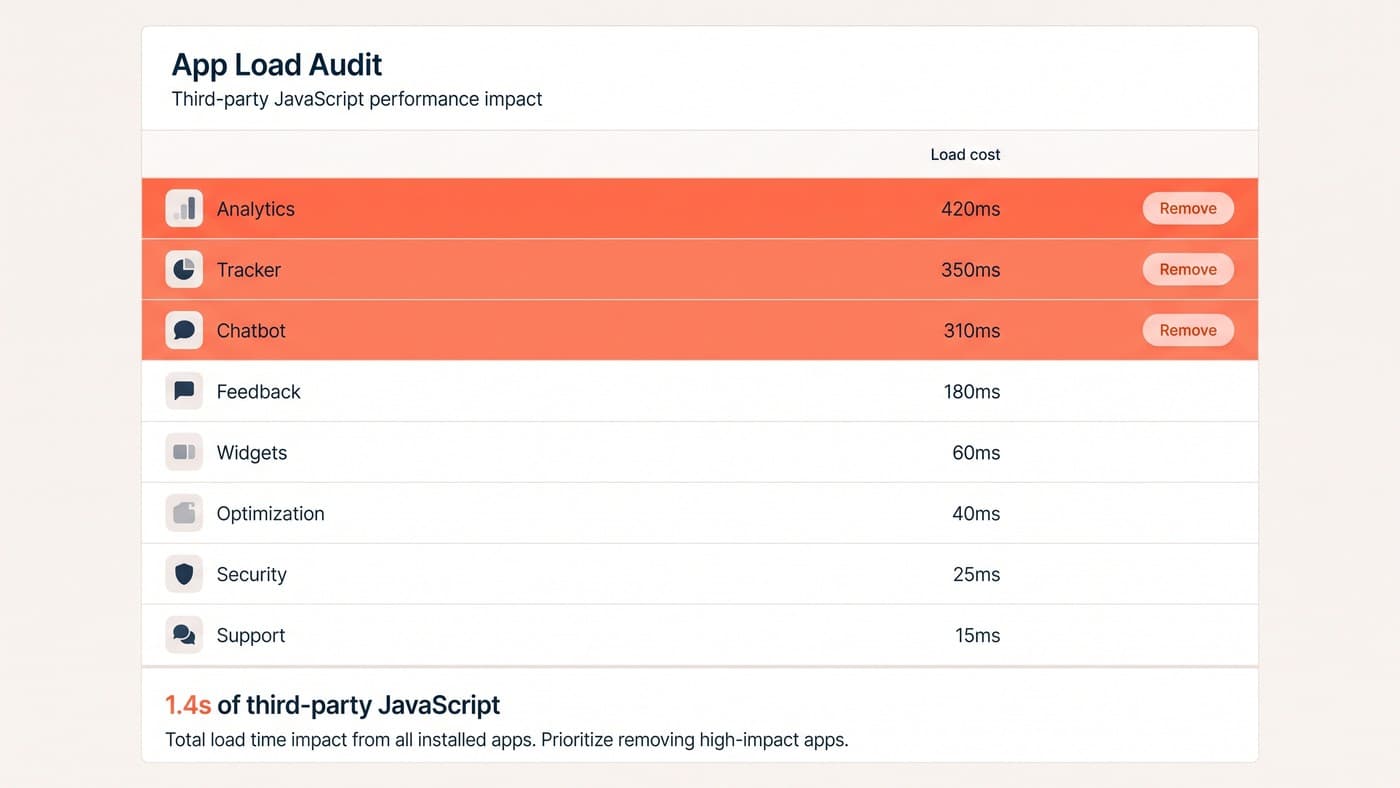
Every app in your Shopify admin carries a price tag nobody prices in: milliseconds. A slow product page does not just feel bad — it quietly taxes every campaign you run to send traffic there, and the tax is collected on the customers you paid most to acquire.
Speed gets treated as a technical hygiene issue, filed under things developers care about. It is a merchandising decision, and it belongs in the same conversation as which products get the home page.
Why speed is a revenue lever, not a hygiene task
The visitors most affected by a slow page are the ones on mobile data, on mid-range Android phones, arriving from paid social. That is not an edge case — on most DTC stores it is the majority of acquisition spend.
They are also the least patient, because they did not go looking for you. A three-second delay on a page somebody actively searched for is annoying; on an interruption they were served mid-scroll, it is simply the end of the visit.
The three numbers worth watching
Ignore the composite score out of 100. It moves for reasons that have nothing to do with your customers, and chasing it produces work that feels productive and changes nothing.
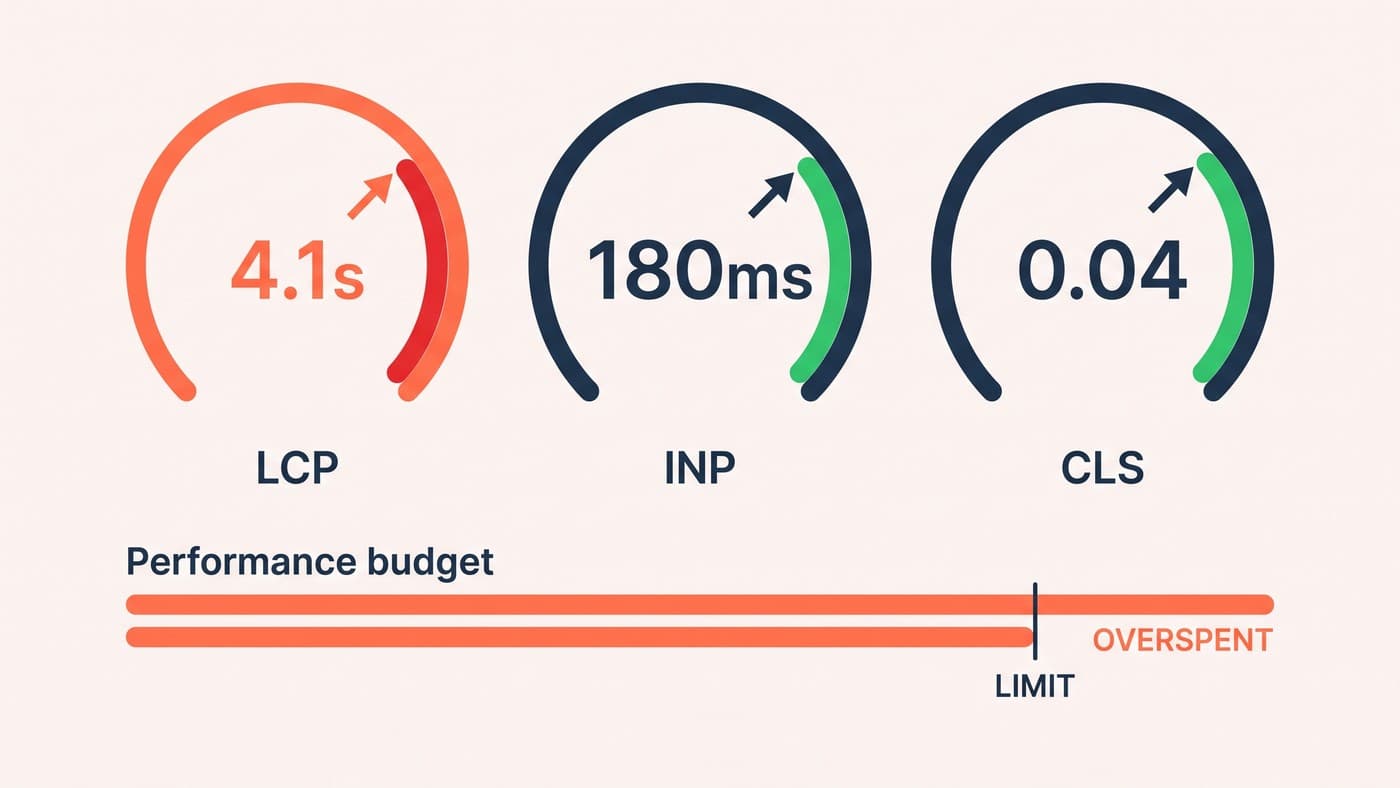
Largest Contentful Paint is when the main image or heading actually appears — the moment the page stops looking broken. Interaction to Next Paint is how long the buy button takes to respond once tapped, which is where third-party scripts do their damage. Cumulative Layout Shift is how much the page jumps while loading, and it is the one customers describe as "it made me tap the wrong thing".
Treat milliseconds like stock
We give every template a performance budget the way a buyer manages inventory: a fixed number of milliseconds, and anything new has to earn its place by paying for itself in conversion rather than in features.
That reframing does most of the work, because it turns "should we install this?" from an opinion into an arithmetic question with a budget attached. The apps that fail are rarely the ones anyone expects — review widgets, upsell pop-ups and chat bubbles are the usual offenders. Our app-audit method walks through how we decide what goes.
What we fix first, in order
The order matters, because the early items make the later measurements meaningful:
- Serve the hero image at the size it displays, in a modern format, with explicit dimensions so nothing shifts as it loads.
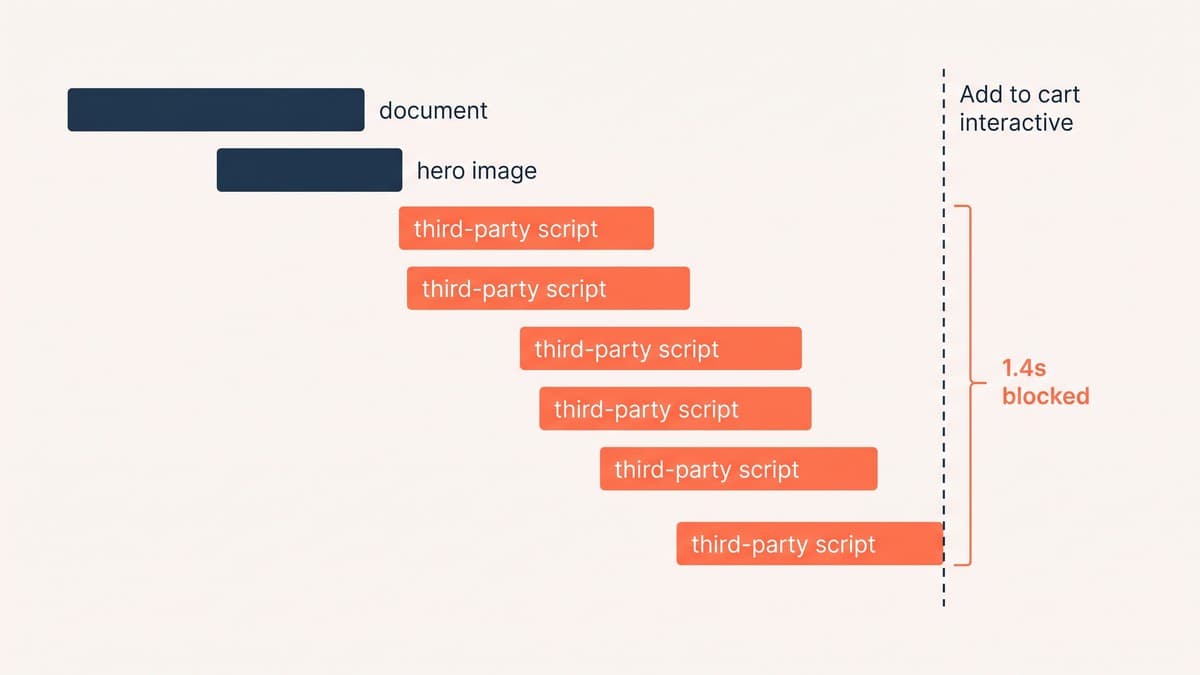
- Defer every third-party script that is not needed for the first interaction — analytics included.
- Cut unused app code from the theme, not just the app from the admin; uninstalling rarely removes the snippets.
- Preload the font actually used above the fold and drop the weights nobody renders.
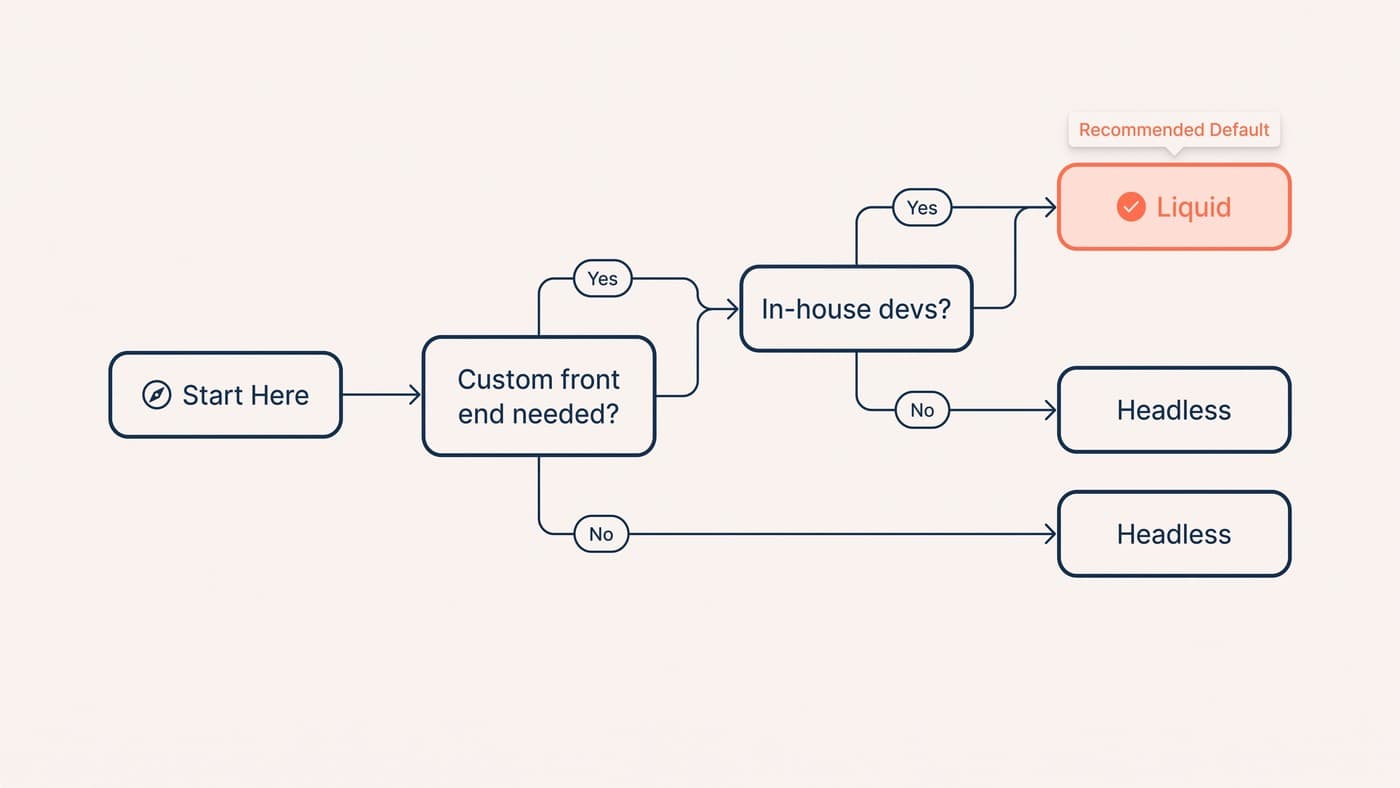
- Only then argue about frameworks.
The first three usually account for most of the gain, and none of them require a replatform. That last point is worth holding on to when somebody suggests going headless to fix a slow page.
Images are still most of the problem
After a decade of tooling improvements, the single largest thing on most product pages is still a photograph that is bigger than it needs to be. A 2,400px hero rendered into an 800px slot is three times the bytes for no visible benefit, and on a phone the ratio is worse.
Serve responsive sources so a phone gets a phone-sized file, use a modern format, and always set explicit dimensions so the browser reserves the space before the image arrives. That last one costs nothing and removes most of the layout shift customers experience as the page jumping under their thumb.
Fonts are the quieter version of the same problem. Most themes load four or five weights and render two. Every unused weight is a file the browser fetches before it can draw text, and the visible symptom — a flash of invisible text — reads to customers as the page being broken rather than slow.
Measure on the device your customers actually use
A performance report run from a laptop on office wifi is a work of fiction. It tells you how the page behaves in the best conditions it will ever meet, which is not a condition many customers experience.
Throttle to a mid-range phone on a slow connection and re-run everything. The ordering of your problems changes: things that looked marginal on a desktop become the whole story, and the heavy JavaScript you had rationalised as "only 200ms" turns into two seconds of unresponsive buy button.
What "fast enough" actually means
There is no universal target, and anyone quoting one is selling something. What matters is the trend on your own store, measured on real customer devices rather than a laptop on office wifi.
Treat a regression the way you would treat stock going missing from a warehouse: something to investigate the same week, with somebody accountable for the answer, rather than a background condition everyone learns to live with.
It is also worth watching the number on a schedule rather than after a complaint. Performance regressions rarely announce themselves — a theme update adds a script, a campaign adds a pixel, and the page gets a hundred milliseconds slower every few weeks until somebody notices the conversion rate has drifted. A monthly check catches that while it is still one change to reverse rather than a year of accumulated weight nobody can attribute.
Two things make a budget stick. Put the number somewhere non-technical people see it, so an app request becomes a visible trade rather than a private decision. And re-measure after every theme change, because performance regressions arrive quietly and are far cheaper to fix in the week they land than in the quarter somebody notices the conversion rate.
Speed is not a project you finish. It is a constraint you maintain, in the same way a buyer maintains stock levels — and stores that treat it that way stop having dramatic performance crises every eighteen months.
Set a budget, watch it monthly, and treat a regression like you would treat stock going missing. Speed work sits inside the wider Shopify development picture — it is rarely the whole answer, but it is nearly always the cheapest part of it. If your store has quietly got heavier over two years of app installs, get in touch.