Page builders sell freedom and invoice you in JavaScript. Native sections cost more on the first page and close to nothing on the fortieth. Which of those is the better trade depends almost entirely on who builds pages at your company and how often they do it, which is why the honest answer to this question is a set of questions.
This is a decision about tooling rather than about landing pages. What belongs on a lander and in what order is settled by the funnel it serves, and the general performance work a theme needs is a discipline of its own. What follows is narrower: where the pages should be built, and what each answer costs over two years.
What a page builder actually installs
A builder is an app that adds a theme app extension plus its own rendering runtime. You get a drag-and-drop canvas, a library of pre-made blocks, and pages that can be produced by somebody who has never opened a code editor. That is a genuine capability and worth paying for in the right store.
The part that is easy to miss at purchase is where the page lives. Builder pages are stored in the vendor’s data model, not in your theme, and they are rendered by the vendor’s code. The subscription is therefore not a tool fee, it is rent on the pages themselves. Cancel it and the pages stop rendering, which makes the exit cost a rebuild rather than an export. That is not a reason to avoid builders, but it is a reason to know which of your pages you would be unable to lose.
What native sections actually cost
A section is a Liquid file with a schema block that declares which settings and blocks a merchant may change. The theme editor renders it, a merchandiser reorders it, and nothing third-party runs to make that happen. Built properly it also survives theme updates, because the custom work sits in a section rather than in an edited core template that a theme update will overwrite.
The cost is developer time, paid up front and paid per section. And the constraint is real: a section only does what its schema allows. A lander that needs a layout nobody anticipated needs a developer, and a developer with capacity this week, which is the exact bottleneck a builder was bought to remove. Teams that choose sections and then never resource them end up with the worst of both: the flexibility of a builder they did not buy, and the speed of a theme nobody is allowed to change.
The questions that actually decide it
Nobody should decide this on principle. Answer these five honestly and the decision usually makes itself:
- Who builds pages? If the answer is a marketer at nine in the evening before a campaign starts, autonomy beats elegance and it is not close.
- How many pages a month? One a quarter does not justify a builder subscription. Six a month does not justify a developer ticket per page.
- How long does a page live? A paid lander that runs for three weeks has different economics from a category story page that runs for three years.
- What is the page’s job? On a page absorbing paid traffic at scale, extra JavaScript has a price you can calculate rather than argue about.
- Who fixes it when the vendor changes something? A builder is a dependency with a roadmap you do not control and a renewal date you do not set.
The evidence on weight
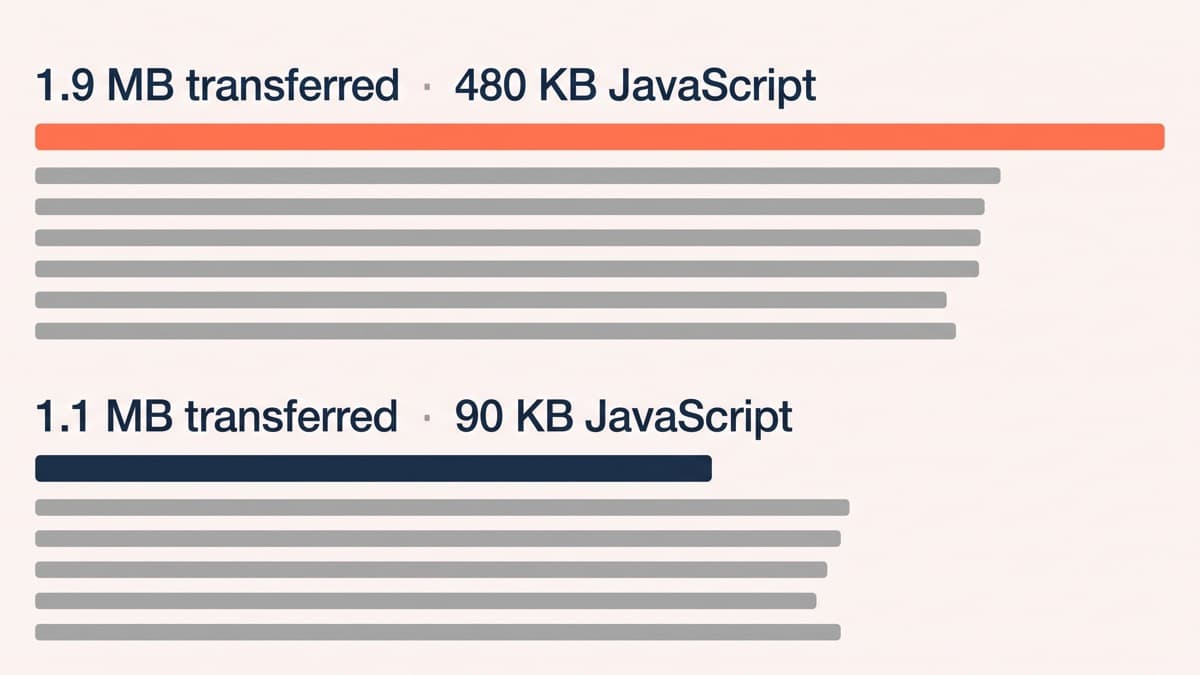
The useful measurement is not the generic claim that builders are slow. It is your page, twice. Rebuilding a live builder lander as two native sections, like for like on content and imagery, took the same layout from 1.9 MB transferred and 480 KB of JavaScript to 1.1 MB and 90 KB. None of that difference was content. All of it was runtime, editor scaffolding and blocks the page never used.
Where builders genuinely win
A brand shipping six landers a month with no developer on retainer is better off with a builder, and pretending otherwise is how agencies become a bottleneck their client quietly routes around. The weight cost is real and it is smaller than the cost of campaigns that never launch. The discipline to add is a rule about which pages may use it: short-lived paid landers yes, the templates carrying your organic traffic no.
The cost comparison over two years is worth doing on paper rather than in argument, because both sides quote the number that suits them. A builder is a monthly fee, no build cost, and a slow accumulation of pages you do not own. A section library is a project cost, no monthly fee, and a small maintenance line. Somewhere between one and two years the lines cross, and where they cross depends entirely on how many pages you actually ship rather than how many you planned to.
The middle path most stores should take
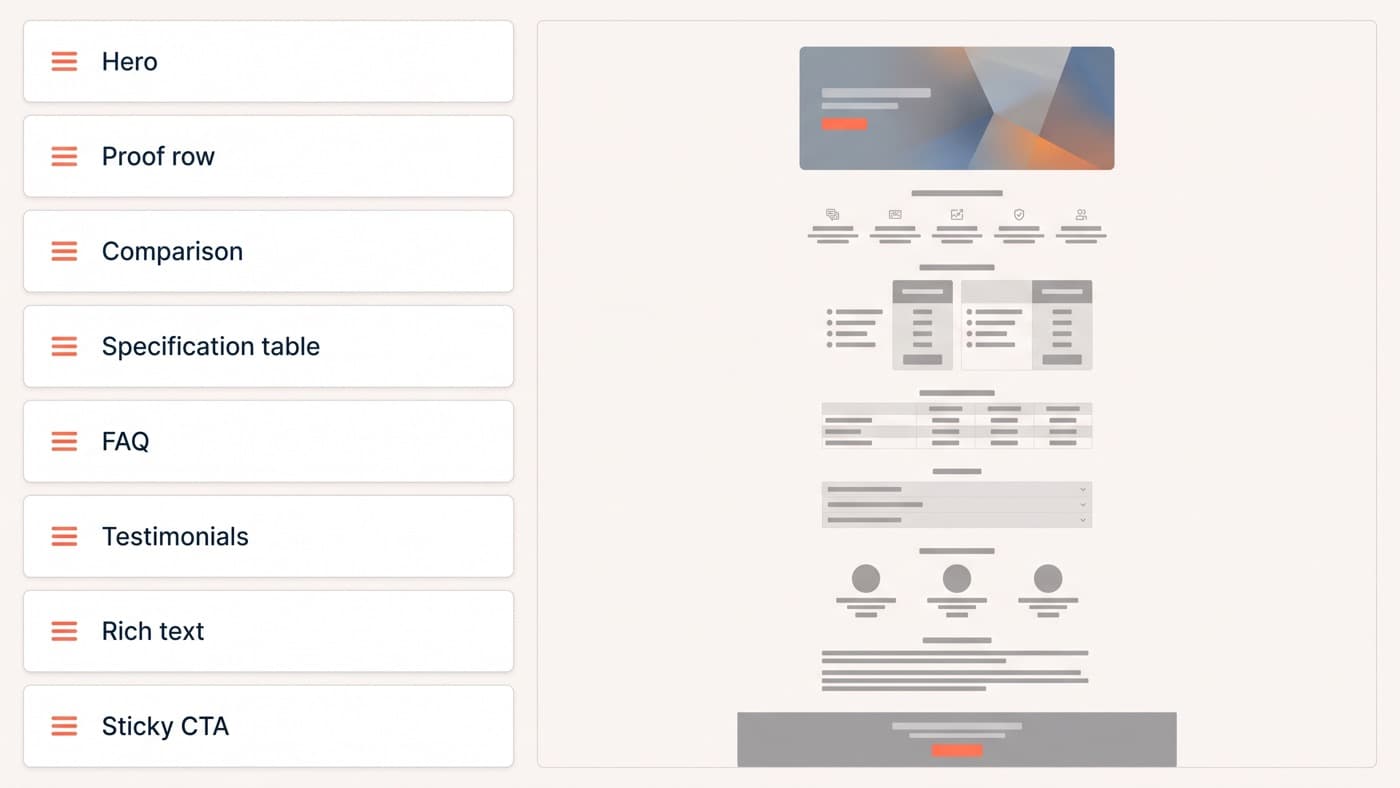
Between the two positions sits the option that suits most stores and gets proposed least often, because it is nobody’s product. Build a library of around eight custom sections designed for editing rather than for one page: a hero with an image and two copy slots, a proof row, a comparison block, a specification table, an FAQ, a sticky call to action, a testimonial strip, a rich text block with real typographic control.
Marketers then assemble pages in the theme editor without a developer, at theme weight, with the brand’s constraints baked into the schema so an off-brand page is difficult to make by accident. It costs one project rather than one ticket per page, which is the same economics WordPress block patterns produce, and the tell that it worked is that nobody asks for a builder afterwards.
Getting off a builder without a rebuild weekend
Do not rebuild everything. Rank the builder pages by sessions and revenue, and you will usually find four or five carrying almost all of it while the rest are campaign debris. Rebuild those few as native sections, redirect the debris, and only then uninstall, because leaving the app installed keeps the old pages rendering while you work.
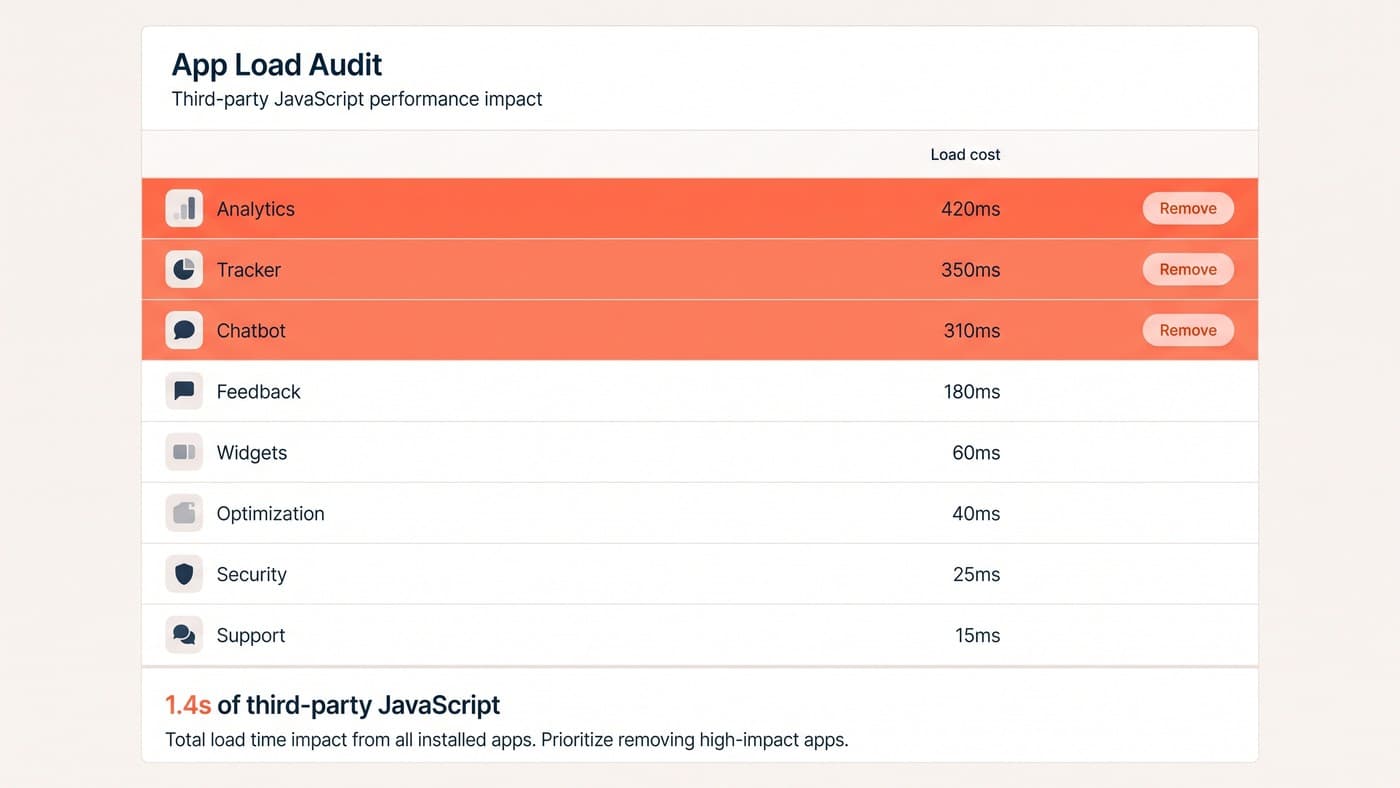
Then check what the uninstall left behind, since removing an app rarely removes its code, and an app stack that nobody has audited will happily keep loading a runtime for pages that no longer exist. Deciding this properly is ordinary Shopify development work, and if you want an outside read on which of your pages deserve to be sections, talk to us.