WooCommerce has no customer groups. It has WordPress user roles and one price per product, so every tiered pricing setup on WooCommerce is a layer somebody added: tiers mapped to something the site can check, quantity breaks on top, and a rule deciding which of them wins. The model is the part you cannot retrofit cheaply.
The usual first attempt is a discount code emailed to trade customers. It survives about a quarter. Then one account needs 20% on two categories and 12% on a third, another has agreed prices on nine SKUs, somebody posts the code on a forum, and the whole thing collapses at once. A discount is an event. Trade pricing is a state, and states have to be modelled.
What core gives you, and exactly where it stops
A WooCommerce product carries a regular price and a sale price. A registered shopper gets the single Customer role, which WooCommerce documents as having limited access "similar to a standard WordPress Subscriber", at woocommerce.com/document/roles-capabilities. There is no group entity, no price list, no quantity break and no per-customer price. That is the whole of it.
What core does give you is the machinery rather than the feature. Roles and capabilities are a WordPress primitive you can extend, product prices pass through filters before they render, and tax display is configurable. Every wholesale plugin on the market is built out of those three things. Knowing that is useful, because it tells you which problems a plugin can plausibly solve and which ones it is quietly leaving to you.
Roles or groups: the modelling decision you cannot retrofit
Two schools, and the choice between them is architecture wearing the costume of configuration. Role-based pricing reuses WordPress roles, so it is simple, it works with everything, and every other plugin already understands it. It caps out at exactly one place: a customer who has to sit in two pricing categories at once, because a role cannot express that and the workaround is a role called trade_silver_contract that somebody has to maintain forever.
Group-based pricing adds an entity with its own price fields and rules. It carries more logic, more weight and more admin, and it survives a matrix that keeps growing. Neither is wrong. Pick by counting the distinct price lists you already run and asking whether that number ever goes up.
Either way, one property of WordPress roles catches teams out: they live in the database, not in your code. WordPress says to call add_role "only in an activation hook or within a conditional block", because "it will keep updating the database every time it’s called", at developer.wordpress.org/reference/functions/add_role. So your pricing tiers are data that has to be created deliberately and recreated on every environment. A staging site missing trade_gold does not throw an error. It quietly prices everything at list, and somebody signs off a build on numbers nobody has.
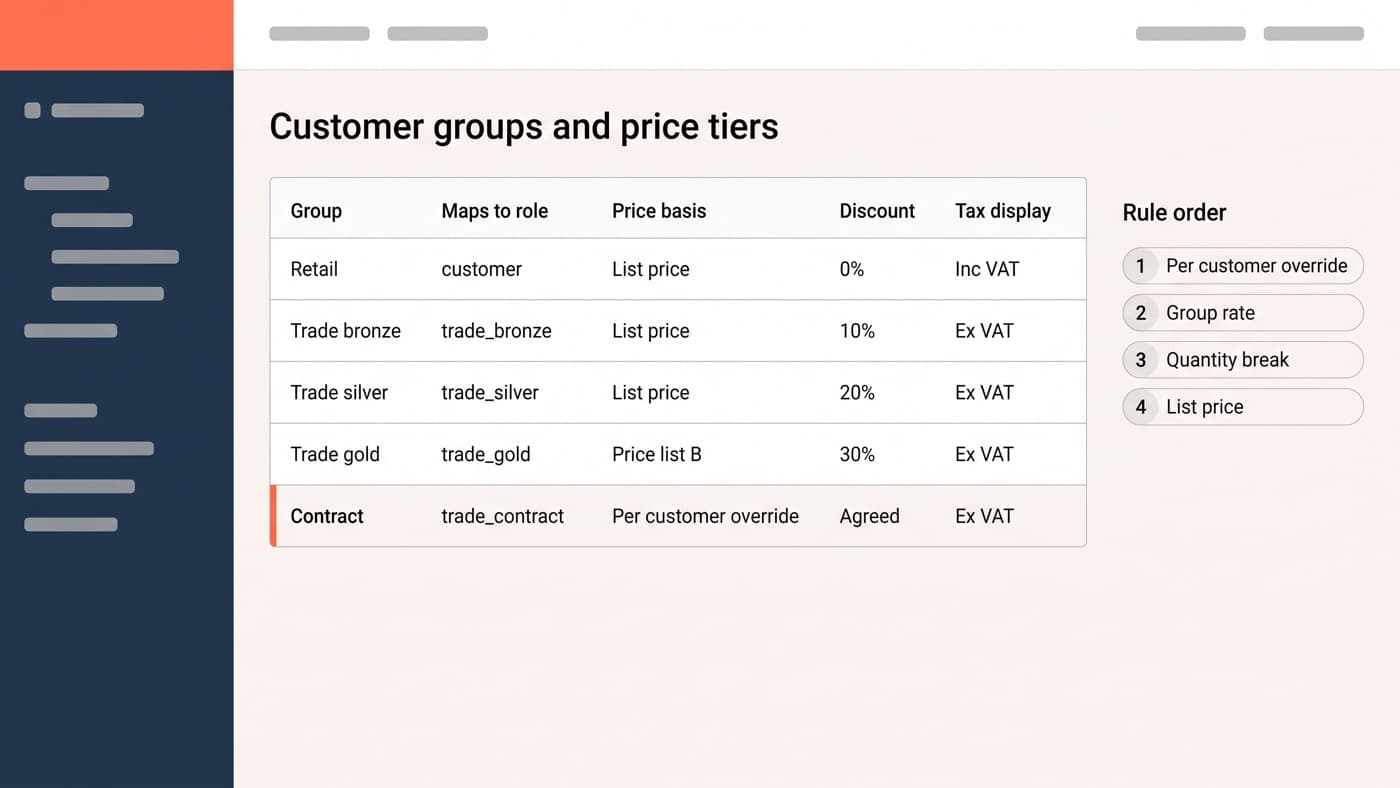
| Group | Maps to role | Price basis | Discount | Tax display |
|---|---|---|---|---|
| Retail | customer | List price | 0% | Inc VAT |
| Trade bronze | trade_bronze | List price | 10% | Ex VAT |
| Trade silver | trade_silver | List price | 20% | Ex VAT |
| Trade gold | trade_gold | Price list B | 30% | Ex VAT |
| Contract | trade_contract | Per customer override | Agreed | Ex VAT |
Five rows is usually the honest size of it, and the last one is the row that decides the architecture. A per-customer override is a negotiated price for one account that nobody else may ever see, and a plugin that cannot hold one will push you to a custom build sooner than any feature on a comparison grid.
Quantity breaks, and where the discount is allowed to appear
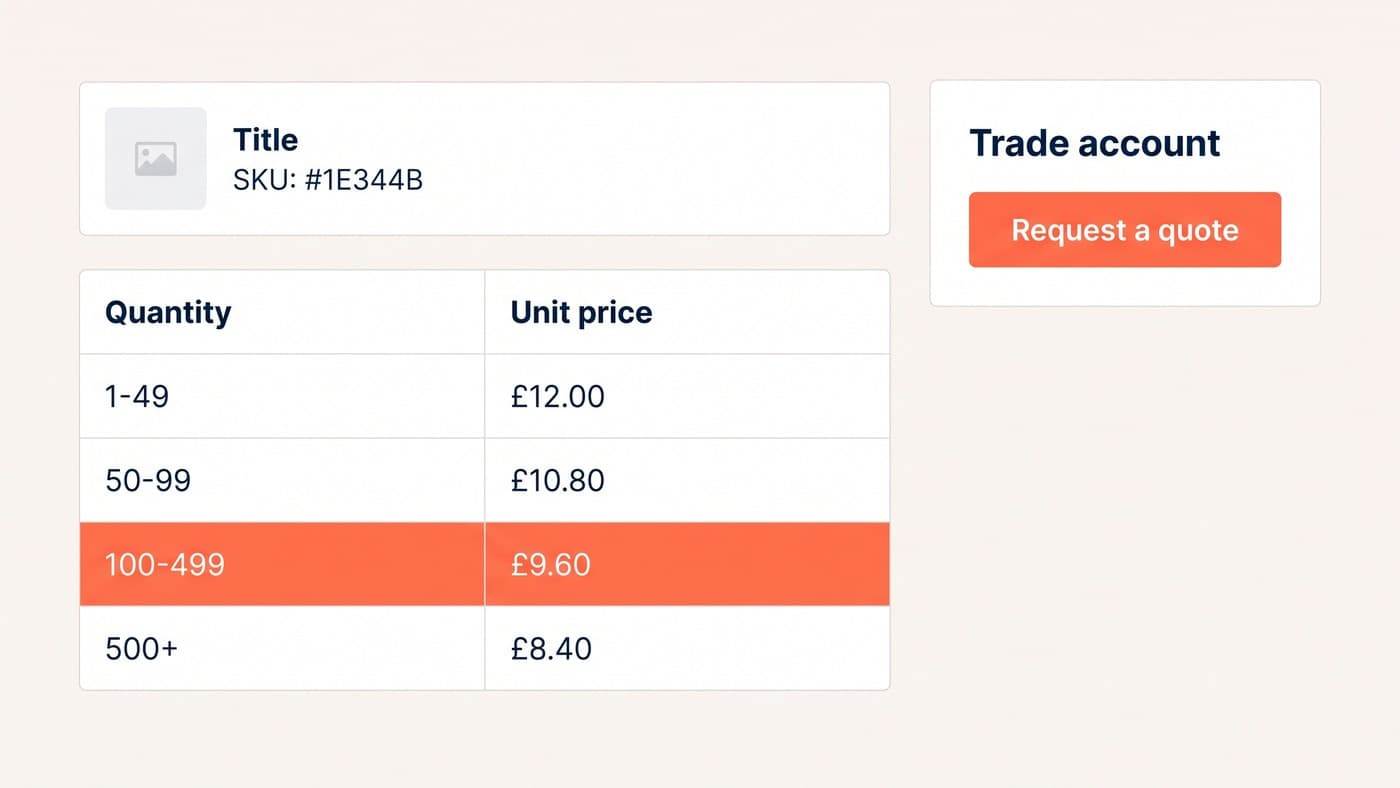
A group rate sets the customer’s starting price. Quantity breaks move it from there, and they belong on the product page rather than in the cart. Take a £18.00 list price: a trade silver account sees £14.40 before any quantity is chosen, then £13.50 from ten units, £12.60 from fifty and £11.70 from two hundred. Printed as a table, that is a reason to order more. Applied silently at the cart, it is a pleasant surprise nobody made a decision about.

The one addition worth making is the next-break prompt: a line under the quantity field saying how many more units reach the next price. It costs nothing, it is honest, and it puts the arithmetic where the decision happens instead of asking a buyer to do it from a table.
Then answer the question every trade buyer eventually asks. Do thirty units split across three variations of the same product reach the ten-unit break, or does each variation count alone? Both answers are defensible. Only one of them is in your plugin, and finding out which after launch is an awkward conversation with a customer who has already worked it out.
Ex VAT for trade, inc VAT for retail
This looks like a display detail and behaves like a pricing rule. Trade buyers read net prices; consumers read the price they pay. WooCommerce gives you one store-wide answer to each half of that: a "Display prices in the shop" setting and a separate "Display prices during cart and checkout" setting, each of them including or excluding tax, documented at woocommerce.com/document/setting-up-taxes-in-woocommerce. There is also a price display suffix that can render the other figure alongside, using the {price_including_tax} and {price_excluding_tax} placeholders.
A store serving both audiences therefore needs those settings varied per user, which every wholesale plugin does and core does not. The failure to plan for is partial coverage: the catalogue switches to ex VAT for trade, the cart follows, and the order confirmation email still renders gross because it was never in scope. A buyer who agreed £12.60 and receives a confirmation saying £15.12 will query it, and they will be right to. Tax display is one of four things a trade checkout has to handle differently from a consumer one.
Precedence: what wins when four rules match one line
On any real trade store, several rules will apply to the same product for the same customer on the same day. That is normal. What is not normal is discovering the answer by testing it, so write the order down and hold your plugin to it:
- A price agreed with one named account beats everything else, including a promotion, because somebody signed something.
- Then the customer’s group or role rate, which is the tier they were approved into.
- Then the quantity break for the quantity actually on that line, applied to whichever base price won above.
- Then any category or campaign rule, which is where seasonal promotions live and where they should stay.
- Then the list price, which is what a logged-out visitor and a mis-tagged customer both see.
Two adjacent decisions travel with it. Does a group discount stack on a sale price, or does a product on sale ignore the tier? And does a coupon apply on top of trade pricing at all? Answer both in writing before launch, because the alternative is answering them one support ticket at a time and being slightly inconsistent each time.
Where a plugin stops and code starts
Buy by default. A plugin brings a tested pricing engine, an admin screen your team can operate without a developer, and somebody else tracking compatibility. Which plugin, and whether it models a trade customer as a role or as a group, is settled in the plugin comparison rather than repeated here.
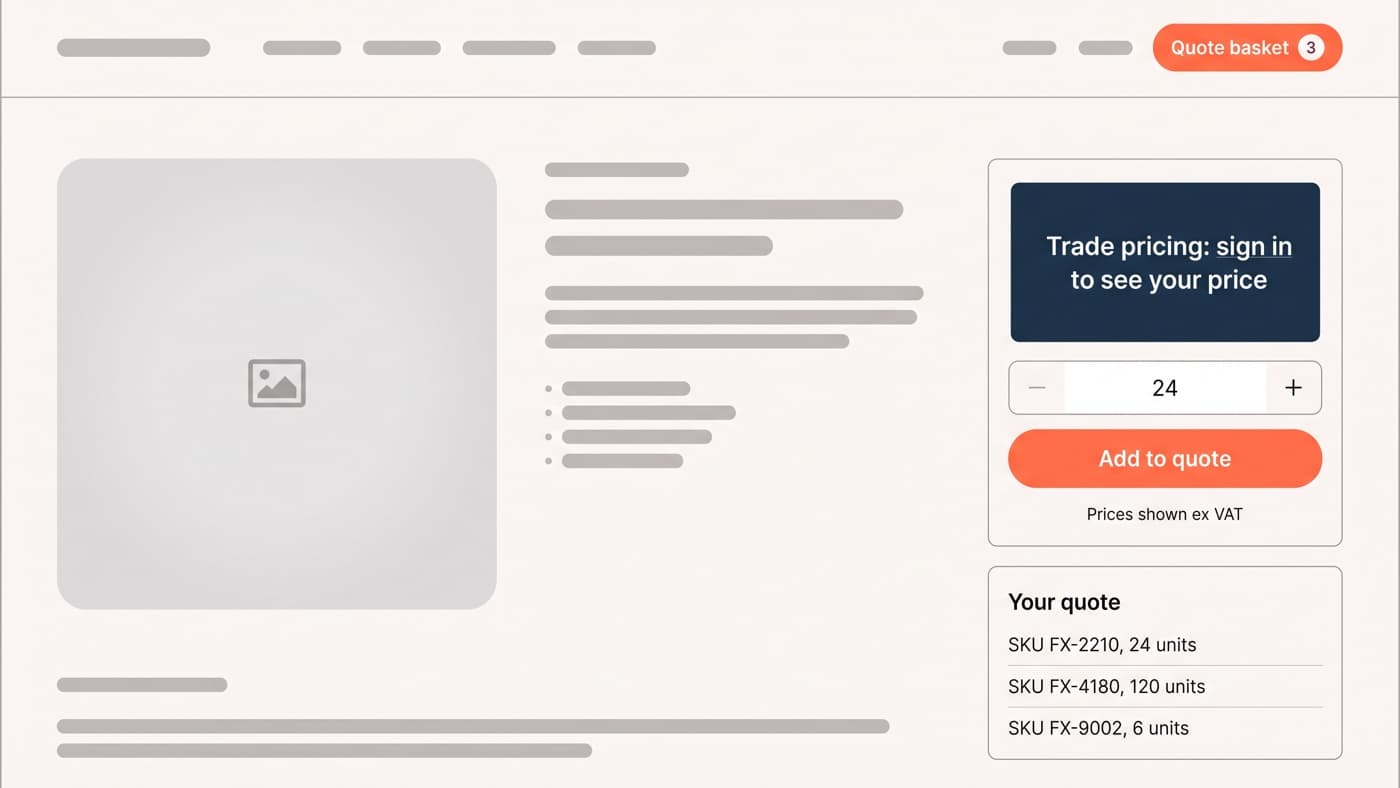
Custom code earns its place in three situations and mostly not otherwise: when prices are owned by an ERP and the site is a display layer over a sync, when the rules are genuinely unusual rather than merely numerous, and when you would override so much plugin behaviour that you own it without owning its source. Everything above that line is configuration somebody should be able to change on a Tuesday without a deployment. And for the orders too large to price by rule at all, a quote request flow is the honest answer rather than a fifth tier.
One constraint outranks the rest and is almost never scoped. A price computed per user cannot be served from a full-page cache, so a logged-in trade catalogue gives up the layer that does most of the work on the retail side of the same store. Decide the caching strategy alongside the pricing model, not after the first slow week. That is ordinary WooCommerce engineering, and if your price matrix currently lives in a spreadsheet somebody emails out, it is worth a conversation.